> For the complete documentation index, see [llms.txt](https://nghiaxchis.gitbook.io/ncmaz-wordpress/llms.txt). Markdown versions of documentation pages are available by appending `.md` to page URLs; this page is available as [Markdown](https://nghiaxchis.gitbook.io/ncmaz-wordpress/single/setting-post-format-video-audio-gallery.md).
# Setting Post format Video, Audio, Gallery
### Add a new post or edit a post.
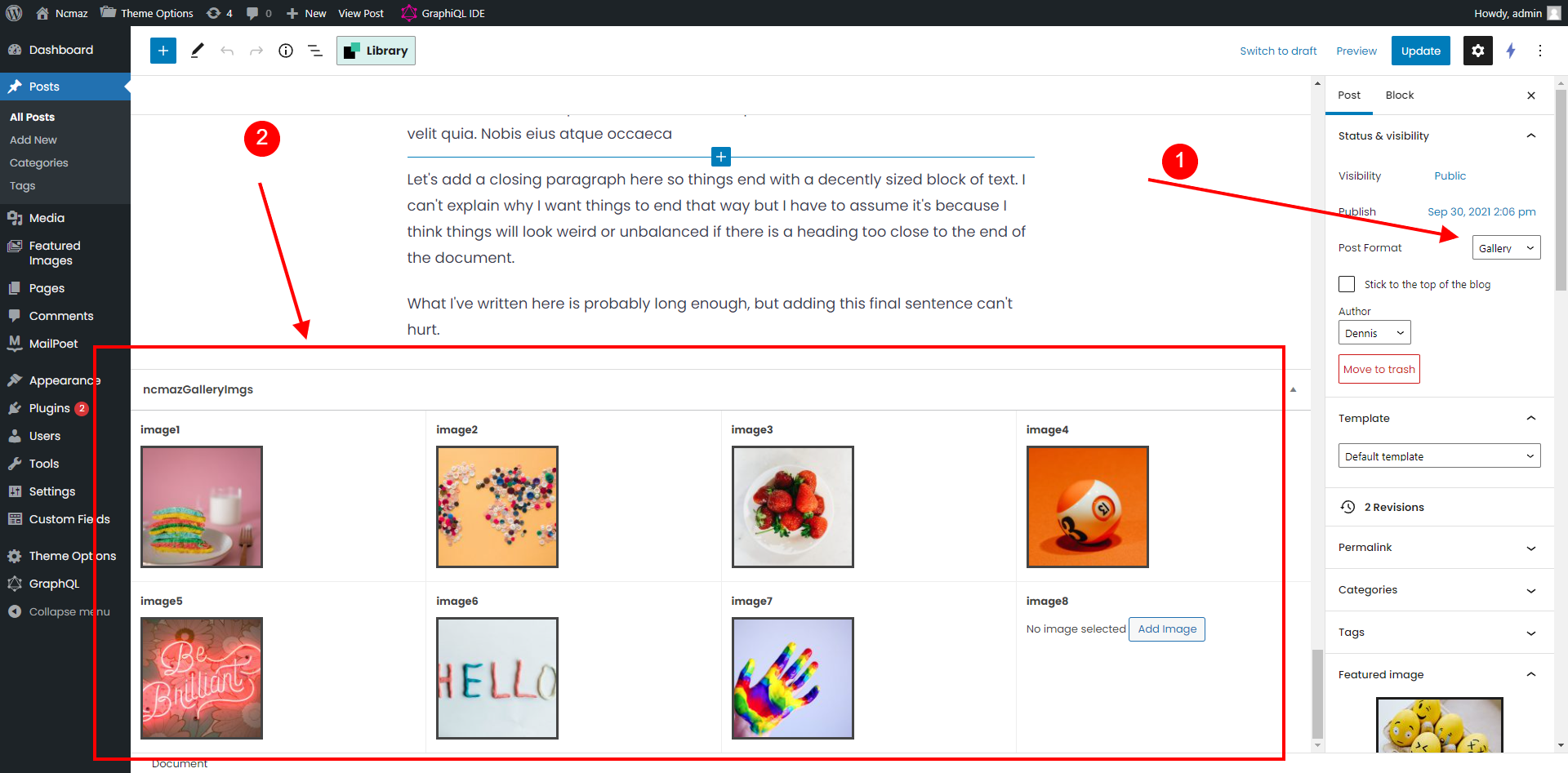
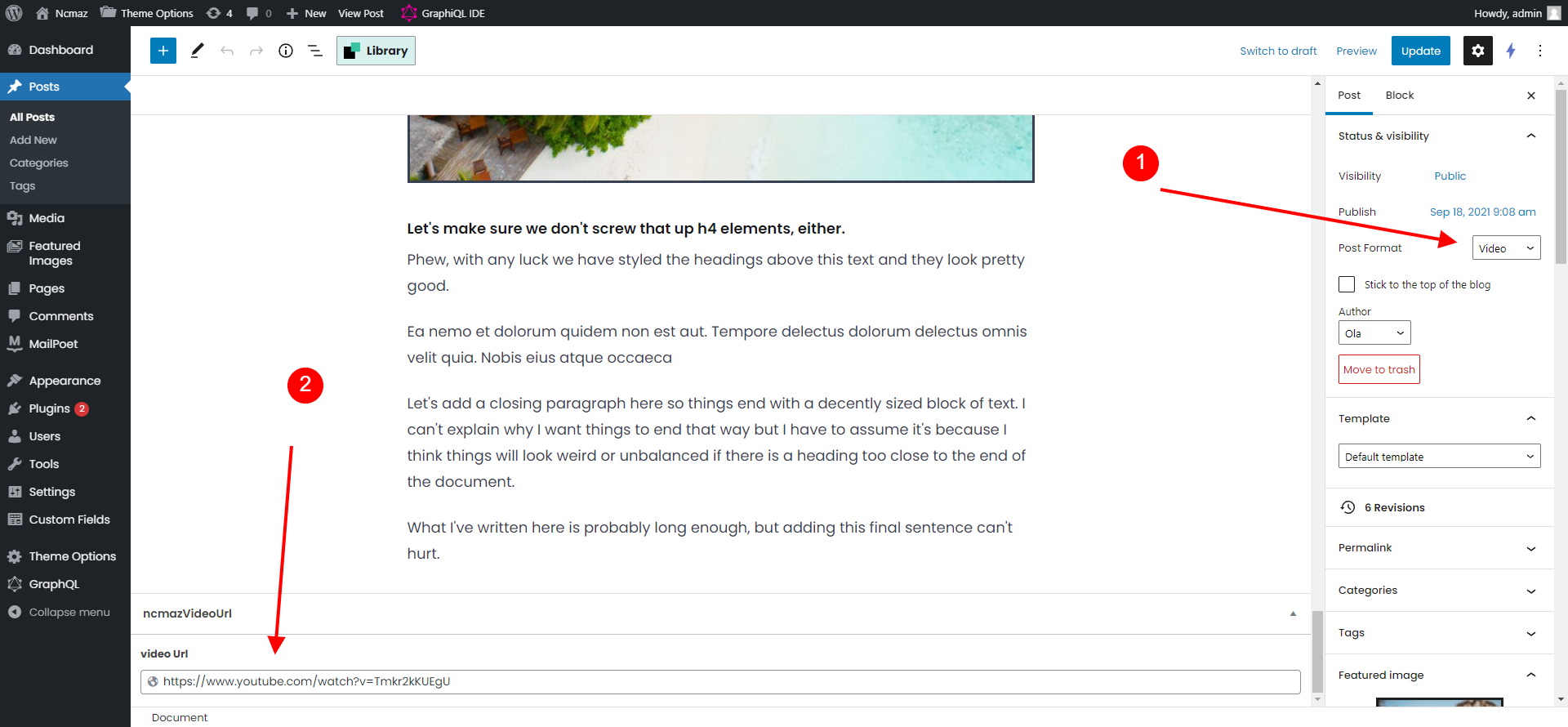
1. Select post format **Video, Audio, Gallery**
2. Scroll to the footer of post editor we will have media setting for any post format (**url Video, url Audio, Gallery images)**
3. With format Gallery, please select gallery images of post.
4. With format Video, Audio, Please input full url of video, audio (mp3, mp4, Youtube, Vimeo, Facebook, SoundCloud, Spotify...)